- Amazon
- Flipkart
- Meesho
- Amazon Seller FlexNew
- Shipping Label GeneratorShipping LabelNew
- IndiaMart CRM
- Other tools
- Price
- Login

28-09-2026 · PDF Cropper
A shipping label is small, but it carries everything a courier needs to deliver your parcel. Missing one detail can mean a failed delivery, a phone call you could have avoided or a parcel that comes back. This seller guide explains what to put on a shipping label in India, in order of importance, and how the Shipping Label Generator lays it out for you.
The customer's full name comes first, followed by the address: house or flat number, building, street, area and a well-known landmark. Then add the city and state. Write the address the way a local person would describe it, because delivery staff rely on landmarks as much as street names, especially in smaller towns.
The 6-digit pincode decides which delivery office handles your parcel. A wrong pincode can send a parcel to the wrong city and add days to the delivery time. Print it in large, bold numbers so it can be read quickly at sorting hubs. The generator shows the pincode bigger than the rest of the address and flags any pincode that is not 6 digits.
Most couriers call the customer before delivery, and many will not complete a delivery without reaching them. Always include a 10-digit mobile number. If the customer gave you an alternate number, you can add both in the phone field.
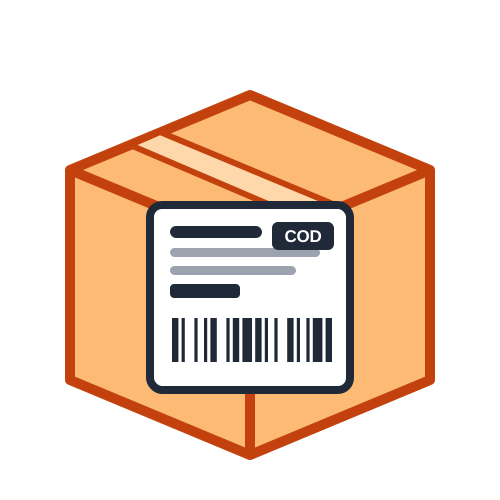
Every label should say clearly whether the order is prepaid or cash on delivery. For COD orders, print the exact amount to collect in large text. This avoids arguments at the door and makes sure you receive the right amount in your courier remittance.
The tracking or AWB number links the parcel to your courier's system. Printed as a barcode, it can be scanned at pickup and at every hub, so the customer gets accurate tracking updates. Only your courier can issue this number; if you do not have one yet, the order ID can be printed as a barcode instead.
Your return address tells the courier where to send the parcel if it cannot be delivered. Include your shop or business name, full address with pincode and a phone number. Adding your logo also makes the parcel look more professional.
Helps you match the parcel to the order when a customer calls.
Useful for couriers that charge by weight or volumetric size.
Mark multi-box shipments as Box 1 of 3, Box 2 of 3 and so on.
A short product name, SKU, quantity and invoice value, plus GSTIN for business shipments.
The most common problems are small: a pincode with five digits, a phone number with a missing digit, an address without a house number, or a COD order without an amount. Any one of them can delay a parcel or send it back. Before printing, read the warnings the generator shows for each order and fix them in your list. It also helps to keep addresses in the same format for every customer, so labels always look consistent.
Stick the label on the largest flat side of the parcel, usually the top, and keep it away from edges, seams and tape joins. Make sure no part of the address or barcode wraps around a corner. On reused boxes, remove or cover old labels completely so only the new address can be scanned. For soft courier bags, smooth the bag flat before sticking the label so it does not wrinkle.
Put the address, pincode, phone, payment type and tracking barcode on every label, and add your return address and useful extras when there is room. The free generator arranges all of this in a clean, consistent layout on 4 × 6, 4 × 4, 3 × 5 or A4 labels, so every parcel carries the right details. For product barcodes on retail packs, try the Barcode Generator.
Last Updated: 23-09-2026