Bulk FNSKU Label Generator for Amazon FBA - Free PDF Labels
Smart work for Fast shipping
Free
Amazon FNSKU barcode label generator
1Enter the product
From Seller Central: Inventory → Manage FBA inventory
Long titles are shortened with "..." to fit the label, as Amazon labels do.
A price like 499 prints as MRP ₹499 (Incl. of all taxes)
Legal Metrology details (India) - optional
Declarations for retail packs under the Legal Metrology (Packaged Commodities) Rules. They fit best on 75 × 50 mm or bigger labels.
2Label size and download
Enter the FNSKU code to see the label preview.
FNSKU barcode label generator with custom price
Labels are created directly inside your web browser. No data leaves your machine.
FNSKU Label Generator for Amazon FBA Sellers - PDF Cropper
Every unit you send to an Amazon fulfilment centre needs a scannable FNSKU barcode label. Our free FNSKU label generator creates sharp, print-ready labels with your FNSKU, product title, SKU, ASIN, MRP, brand and condition - for one product, or for a whole shipment at once from Excel. Print them on A4 label sheets or a thermal label printer.
With the bulk FNSKU label generator for Amazon FBA, free PDF labels are ready for one product or a full shipment, with MRP and Legal Metrology details.
Why Choose Our FNSKU Label Generator ?
Amazon's own label download is fine for a quick batch, but it does not let you add your MRP, brand or SKU, and it gives you limited control over layout. Our tool puts everything your packing team and Indian buyers need on one label, draws the barcode as a sharp vector with the quiet zone scanners require, and handles a full shipment from a single spreadsheet. It's free, needs no sign-up, and PDF Cropper gives you a live preview before you print a single sheet.
Key Features of the FNSKU Label Generator
Bulk Labels from Excel or CSV :
Upload a sheet with FNSKU, title, SKU, ASIN, MRP, brand, condition and quantity - or paste rows from Excel - and get every label for your shipment in one PDF. Amazon's own inventory and shipment reports are recognised too.
Sharp, Scannable Barcodes :
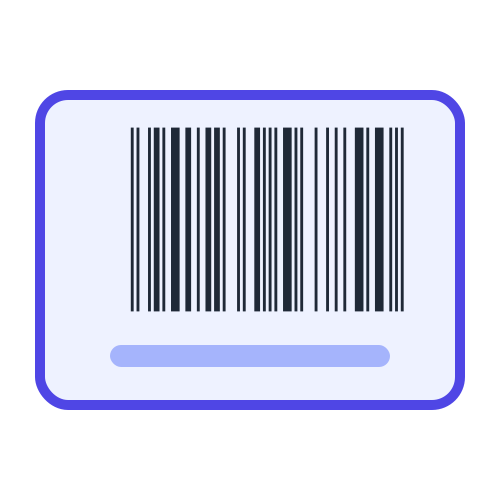
The FNSKU is drawn as a vector Code 128 barcode with the clear margin Amazon's scanners need, so it stays crisp at any size.
MRP, SKU, ASIN and Brand :
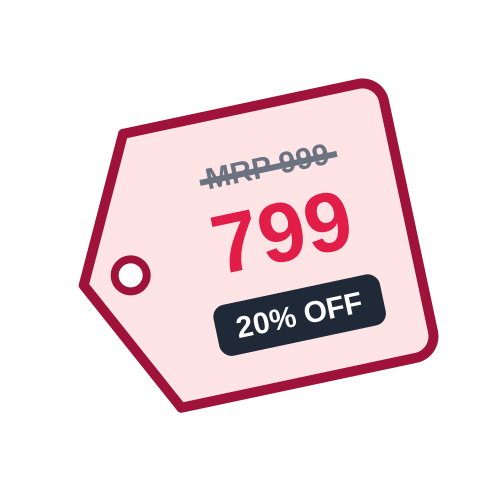
Add the details that matter in India - a price like 499 prints as MRP ₹499 - along with your SKU, ASIN, brand and condition.
Legal Metrology Details (India) :
Optionally add net quantity, month and year of manufacture, expiry date, manufacturer or packer name and address, country of origin and customer care - with MRP inclusive of all taxes - for retail-ready packs.
Smart Title Shortening :
Long product titles are wrapped and shortened with "..." to fit the label, just like Amazon's own labels.
A4 Sheets and Thermal Labels :
Print on A4 sheets with 21, 24, 27, 40 or 44 labels, or on 50 × 25, 75 × 50 and 100 × 50 mm thermal labels.
Live Label and Page Preview :
See the label and the full page before you download, with a warning if a label size is too small for all your details.
Quantity per Product :
Set how many labels you need - per product in bulk mode - so you print exactly one label per unit.
PDF and PNG Downloads :
Download print-ready PDF labels, or a single label as a PNG image.
How It Works
How to use FNSKU Label Generator
Enter one product or upload your shipment list, pick a label size, and download print-ready FNSKU labels.
1
Choose single or bulk
Open the FNSKU Label Generator and pick Single label for one product, or Bulk to create labels for a whole shipment.
2
Add your product details
Enter the FNSKU, title, SKU, ASIN, MRP, brand and condition - or upload an Excel/CSV file or paste rows copied from Excel.
3
Pick a label size
Select an A4 label sheet (21 to 44 labels) or a thermal label size, and set the number of labels.
4
Check the preview
See the label and the full page before you print, including how long titles are shortened.
5
Download and print
Download the PDF and print it at 100% scale, then stick one label on each unit.
Quick and simple : Create Amazon FBA FNSKU labels online without installing label software.
Benefits of Using the FNSKU Label Generator
Label a Whole Shipment in Minutes :
Upload one spreadsheet instead of creating labels product by product.
Fewer Receiving Problems :
Clear, scannable barcodes and one label per unit help avoid delays and unplanned prep fees at the fulfilment centre.
MRP on Every Unit :
Print the MRP straight on the FNSKU label instead of adding a second sticker.
Save Label Sheets :
The PDF lines up with standard A4 label sheets, so nothing prints across two labels.
Free and Easy :
No software, no account, and a preview before you print.
Who Can Benefit from Our FNSKU Label Generator?
Amazon FBA Sellers :
Label every unit before sending inventory to Amazon fulfilment centres.
Brands and Manufacturers :
Add MRP, brand and SKU to FNSKU labels for retail-ready packaging.
Prep and Packing Teams :
Print a full shipment's labels in the right quantities from one file.
Warehouses and 3PL Providers :
Handle FBA labelling for several products or clients quickly.
The FNSKU Label Generator gives FBA sellers a simple way to create compliant, professional labels. Bulk creation from Excel, sharp barcodes, MRP and product details, and ready-made label sheet layouts cover everything from a single test unit to a full shipment.
Which Label Size Should I Use?
A4 - 21 / 24 / 27 Labels
Roomy labels (about 63 × 30-38 mm) with space for the full title, SKU, ASIN and MRP. A good default for laser printers.
A4 - 40 / 44 Labels
Smaller labels for small products. Titles are shortened more to fit.
50 × 25 mm Thermal
The most common thermal FNSKU label for label printers.
75 × 50 mm Thermal
Larger thermal label with room for every detail in bigger text.
100 × 50 mm Thermal
Extra-wide label for outer packaging and cartons.
Not Sure?
Use the page preview - it shows exactly how your labels will print on the chosen size.
Comparison with Other FNSKU Label Tools
Compared with Amazon's basic label download and simple online barcode makers, our tool is built for Indian FBA sellers who label full shipments.
Bulk from a Spreadsheet
Create labels for every product in a shipment, each in its own quantity, from one Excel or CSV file.
MRP and Custom Details
Print MRP ₹, SKU, ASIN, brand and condition - details Amazon's own labels don't include.
Vector Barcodes
Crisp barcodes at any size instead of blurry scaled images.
Preview Before Printing
See every page before you use your label sheets.
Tips for Printing FNSKU Labels Amazon Can Scan
Print at 100% Scale :
Turn off "fit to page" in the print dialog so labels line up with the sheet and the barcode keeps its correct size.
Cover Other Barcodes :
Place the FNSKU label over any existing UPC or EAN barcode so only one barcode can be scanned.
One Label per Unit :
Every sellable unit needs its own label - set the quantity to match your shipment.
Use Removable Labels :
Amazon asks for labels that can be removed without damaging the packaging.
Following these tips helps your inventory get received quickly at Amazon fulfilment centres without relabelling fees.
FAQ
Frequently Asked Questions
Find answers to common questions about creating and printing Amazon FNSKU labels.
What is an FNSKU?
FNSKU (Fulfillment Network Stock Keeping Unit) is the barcode Amazon uses to identify your product in its fulfilment centres. It links each unit to your seller account, so it usually starts with X00, for example X001ABCD23.
Where do I find my FNSKU code?
In Seller Central, open Inventory, then Manage FBA Inventory. The FNSKU is shown for each product, and it is also in Amazon's inventory and shipment reports.
Is this FNSKU label generator free?
Yes. You can create single labels or labels for a whole shipment for free, with no sign-up needed.
Can I create FNSKU labels in bulk from Excel?
Yes. Switch to Bulk and upload an Excel or CSV file with FNSKU, title, SKU, ASIN, MRP, brand, condition and quantity, or paste rows copied from Excel. Amazon's own inventory and shipment reports are recognised too, and each product gets the quantity you set.
Which label sizes can I print?
A4 sheets with 21, 24, 27, 40 or 44 labels, and thermal labels of 50 × 25 mm, 75 × 50 mm and 100 × 50 mm. The page preview shows exactly how the labels will print.
Can I print the MRP on FNSKU labels?
Yes. Enter the price in the MRP field (or MRP column) and a number like 499 prints as MRP ₹499 (Incl. of all taxes), together with the brand and condition.
Can I add Legal Metrology details to FNSKU labels?
Yes. Optional fields add the net quantity, month and year of manufacture, expiry or best-before date, manufacturer or packer name and address, country of origin and customer care details, and the MRP is always printed with (Incl. of all taxes). In bulk mode use the Net Qty, Mfg Date, Exp Date, Manufactured By, Country of Origin and Customer Care columns. These details fit best on 75 × 50 mm or larger labels.
How do I make sure Amazon can scan my labels?
Print the PDF at 100% or actual size, not fit to page, use a laser or thermal printer, and cover any other barcodes on the product. The barcode is drawn as a sharp vector with the clear margin scanners need.
 ShopsyEffortless Shopsy Label Cropping with SKU & Qty Features
 DelhiveryDelhivery Shipping Label Crop Tool - Crop with SKU & Qty Details
 JiomartEffortless Jiomart Label Cropping with SKU & Qty Features
 MyntraEffortless Myntra Label Cropping with SKU & Qty Features
 AjioAjio Labels for 4x6, A4 and COD Summary
 SnapdealEffortless Snapdeal Label Cropping with SKU & Qty Features
 GlowRoadFast and Accurate GlowRoad Label Cropping Solution