- Amazon
- Flipkart
- Meesho
- Amazon Seller FlexNew
- Shipping Label GeneratorShipping LabelNew
- IndiaMart CRM
- Other tools
- Price
- Login

 Free
FreeEnter the product name and MRP to see the tag preview.
Free price tag maker for shops - MRP stickers with offer price, discount and barcode on A4 sheets or thermal rolls
Price tags are created directly inside your web browser.

Our price tag maker creates neat price labels and MRP stickers for shops, boutiques, supermarkets and online sellers. Type the product name, the MRP in ₹ and an offer price, and the tool works out the discount, strikes through the MRP and lays every tag out on your sticker sheet or thermal roll, ready to print.
Use this price tag maker free to print MRP stickers for your shop - one product at a time, or hundreds at once from an Excel list, with an optional barcode on every tag.
Writing prices by hand is slow, looks untidy and is easy to get wrong, especially during a sale when many prices change at once. Printed tags look professional, every product shows the same clear layout, and customers can see the discount at a glance. In India, packaged goods must show the MRP, and a printed MRP sticker with (Incl. of all taxes) is the simplest way to do that for products that don't already carry it. With an Excel list, a whole shelf or a new stock delivery can be labelled in minutes.
Enter the MRP and a lower offer price to print the offer price in large text with the MRP struck through - or the MRP only when there is no offer.
The % OFF is calculated for you from the MRP and the offer price, so there are no calculation mistakes.
Classic tags with a discount badge, red Sale tags for offers and clearance, and simple Minimal MRP stickers.
Add a variant line such as Size M, Blue or 500 g under the product name.
Print a Code 128 barcode for your SKU or an EAN-13 retail barcode, with the check digit added automatically.
Upload an Excel or CSV file, or paste rows from Google Sheets, with a quantity for each product. A sample file shows the columns.
Print on A4 sheets with 65, 40, 24, 21 or 12 labels, or on 50 × 25, 38 × 25, 50 × 30 and 75 × 50 mm thermal rolls.
Enter or upload your products, pick a style and sticker sheet, and print.
Enter the product
Type the product name, MRP and, if you have one, the offer price. Add a size, colour or weight and a barcode if you want them on the tag.
Or upload a product list
For many products, switch to Bulk and upload an Excel or CSV file (download the sample file for the columns), or paste rows from a spreadsheet.
Choose a style
Pick Classic, Sale (red offer tag) or Minimal MRP sticker, and add your shop name to print it on every tag.
Select the label size
Choose the A4 sticker sheet you use (65, 40, 24, 21 or 12 labels) or a thermal roll size, and check the tag and page preview.
Download and print
Download the PDF and print it at 100% (actual size) on your sticker sheet or thermal printer.
Quick and simple : Create and print price tags online without installing any label software.
Label a whole delivery of stock in one print run instead of writing each price by hand.
Printed prices are easy to read, and the automatic discount avoids pricing errors at the counter.
Bright sale tags with the struck-through MRP make offer prices stand out and help sell slow-moving stock.
Matching tags with your shop name give even a small store a neat, organised look.
Price every item on the shelf with clear MRP and offer tags.
Tag garments with the size, colour, MRP and festival discount.
Add MRP stickers to products before packing them for marketplaces.
Print quick price labels for fairs, pop-up stalls and weekend markets.
From a single product to a full store, the Price Tag Maker gives every item a clear, consistent price label in a few clicks.
Classic
Product name, big price, struck MRP and a black % OFF badge - a good everyday choice for most shops.
Sale
A red SALE band with the discount and the price in red - ideal for festival offers and clearance racks.
Minimal
A simple MRP sticker with just the essentials - best for small labels and packaged goods.
Choose the same layout as the sheet in your printer, and print one test page on plain paper first.
Keep the print scale at 100% so each tag lands exactly on its sticker.
Short product names print larger and are easier to read on small labels.
Review the preview before printing a large batch, especially when prices change for a sale.
For product barcodes on their own, use the Barcode Generator, and for shipping parcels try the Shipping Label Generator.
Find answers to common questions about making and printing price tags.
Yes. The PDF Cropper price tag maker is free with no sign-up and no limit on the number of tags. Make one tag or thousands from an Excel list.
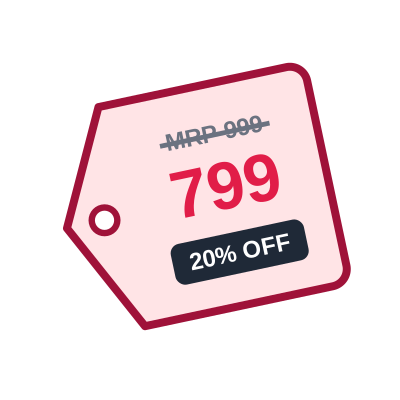
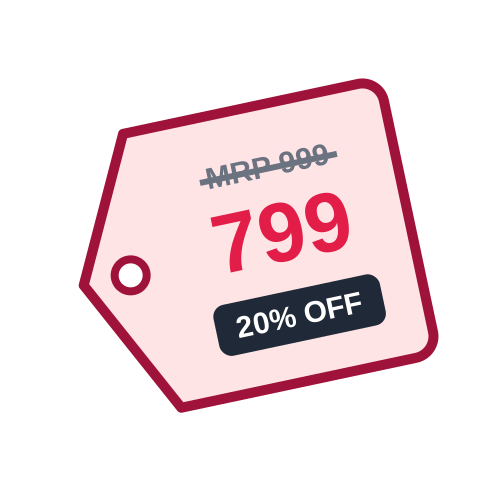
When you enter both the MRP and a lower offer price, the tool works out the discount, for example MRP ₹999 and offer price ₹799 prints as 20% OFF, with the MRP struck through. Without an offer price, only the MRP is printed.
Yes. Switch to Bulk, download the sample Excel file and fill in Product Name, Size / Variant, MRP, Offer Price, Barcode and Qty - one product per row. Upload the file and every product gets the number of tags you set in Qty.
A4 sticker sheets with 65, 40, 24, 21 or 12 labels, and thermal label rolls of 50 × 25, 38 × 25, 50 × 30 and 75 × 50 mm. Print at 100% or actual size so the tags line up with the sheet.
Yes. Add a Code 128 barcode for your SKU, or an EAN-13 retail barcode (12 or 13 digits - the check digit is added for you). Leave the barcode empty for a price-only tag.
Classic shows the price with a black discount badge, Sale adds a red band with SALE and the discount and prints the price in red, and Minimal is a simple MRP sticker without extras.
Yes, by default the tag prints (Incl. of all taxes) under the price, which is how MRP is usually shown in India. You can turn it off in the settings.
Trusted by sellers — explore price-tag-maker reviews and ratings from users who process shipping label PDFs with PDF Cropper.
No reviews yet — be the first to share your experience.
Submit Review
Last Updated: 28-09-2026