
 Free
FreeConvert PNG to SVG online. Color and black & white vector tracing
Images are converted directly inside your web browser. No data leaves your machine.

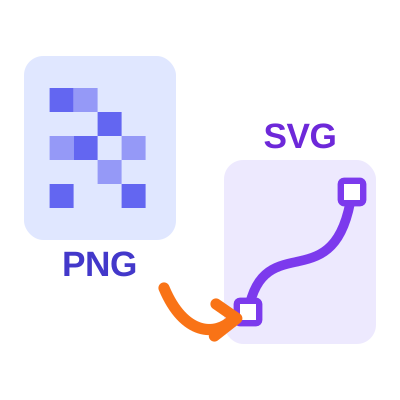
PNG, JPG and WEBP images are made of pixels, so they turn blurry and jagged when you enlarge them. SVG files are made of shapes and paths, so they stay sharp at any size. Our free PNG to SVG converter traces your image and rebuilds it as clean vector paths, ready for printing, cutting machines, websites and design software.
The converter offers two modes. Color mode traces every colour in your logo or illustration as its own layer, while Black & White mode turns single-colour artwork like text, signatures, stamps and line drawings into smooth, lightweight paths.
Everything runs directly inside your browser. Your image is never uploaded to a server, and you can preview the result next to the original before you download the SVG or copy its code.
Choose between 2 and 32 colours. The tool groups similar shades together and traces each colour as a separate layer, keeping your logo or illustration recognisable while producing a scalable file.
Use the threshold slider to decide which parts of the image become solid shapes. Invert the result or pick any fill colour - ideal for signatures, stamps, text and cutting machine designs.
Set the detail level to balance accuracy against file size, and add smoothing to clean up noisy or low-quality images before tracing.
Compare the original image with the traced SVG, check the file size and path count, then download the SVG or copy the code.
SVG files stay crisp on business cards, banners, product packaging and high-resolution screens.
Images are converted inside your browser and never leave your device.
Open the SVG in Illustrator, Inkscape, Figma or Canva and edit individual shapes and colours.
No sign-up and no software to install - upload, convert and download in seconds.
Color Mode
Best for colour logos, icons, flat illustrations and clip art. Use fewer colours for a smaller, cleaner file and more colours to keep fine shading.
Black & White Mode
Best for text, signatures, stamps, barcodes and line art. Move the threshold to include lighter or darker areas, and choose any fill colour for the result.
Upload your image, choose a mode, and download a scalable SVG in a few simple steps.
Open PDF Cropper
Visit PDF Cropper and select the PNG to SVG converter from the available tools.
Upload Your Image
Click the "Choose File" button and select the PNG, JPG or WEBP image you want to convert.
Choose the Conversion Mode
Select Color mode for colour logos and illustrations, or Black & White mode for single-colour logos, text and line art.
Adjust the Settings
Set the number of colours or the threshold, the detail level and smoothing to control the quality and size of the SVG.
Convert and Download
Click "Convert to SVG", compare the preview with the original, then download the SVG file or copy the SVG code.
Quick and simple : Convert images to SVG online without installing additional software.
Find answers to common questions about the PNG to SVG Converter.
A PNG to SVG converter traces the pixels of a raster image and turns them into vector paths. The result is an SVG file that can be scaled to any size without becoming blurry or pixelated.
Color mode groups the image into the number of colours you choose and traces each colour as a separate layer, which suits colour logos and illustrations. Black & White mode converts the image to pure black and white using a threshold and traces only the dark shapes, which gives the cleanest result for single-colour logos, text, signatures and line art.
No. PDF Cropper converts your image directly inside your web browser. Your PNG, JPG or WEBP file never leaves your device.
Yes. Along with PNG, the tool accepts JPG and WEBP images up to 20 MB and converts them to SVG in the same way.
You can, but vector tracing works best with logos, icons and flat graphics. Photos contain thousands of colour shades, so the traced SVG becomes very large and looks posterized. For photos, use fewer colours and more smoothing.

Effortless Amazon Label Cropping Solutions. Simplify Your Shipping Process in just one click.

Experience hassle-free Flipkart PDF crop and invoice cropping for a streamlined e-commerce
Simplify your workflow with our meesho invoice cropper designed to enhance efficiency in your e-commerce operations.
Trusted by sellers — explore png-to-svg reviews and ratings from users who process shipping label PDFs with PDF Cropper.
No reviews yet — be the first to share your experience.
Submit Review
Last Updated: 24-09-2026