 Free
Free1. Shipping labels
Seller Flex labels with the matching invoice - PDF or ZPL labels, one print-ready PDF
Labels and invoices are processed directly inside your web browser. No data leaves your machine.

With Amazon Seller Flex, you download the shipping labels and the invoices as separate files - and then have to sort them so each package gets the right invoice. Our Seller Flex label crop tool does that for you: upload the labels and the invoice PDF, and get one PDF where every label is followed by its matching invoice. Labels can be a PDF, a ZPL file or pasted ZPL code, and you can add SKU sorting, order numbers, 4 labels per A4 page and an SKU and order summary.
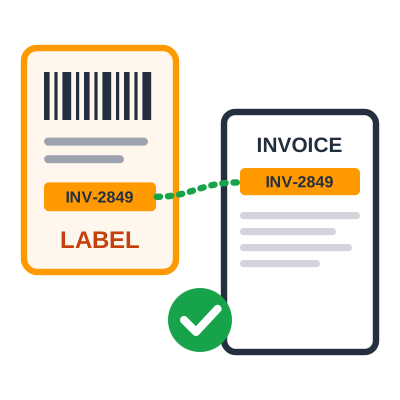
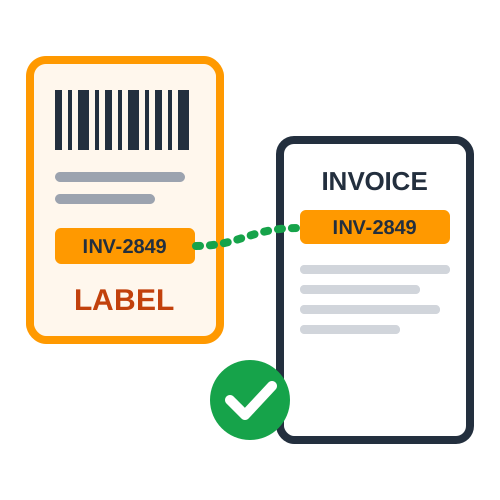
Matching Seller Flex labels with their invoices by hand is slow and easy to get wrong, especially when the invoice PDF is in a different order or some invoices run over two pages. Our tool reads the invoice number printed on each label, finds the same invoice number in the invoice PDF, and puts them together automatically. It also prints the quantity, SKU, product description and MRP right on the label, so packing teams know exactly what goes in each box. Everything runs in your browser - it's free, has no usage limits, and your customers' details never leave your device. PDF Cropper helps you spend less time sorting documents and more time shipping orders.
Each label is matched to its invoice by the invoice number, so you never pack the wrong invoice with a package. Multi-page invoices are kept together, and the invoice order in the PDF doesn't matter.
Upload the label PDF, a ZPL file, or paste ZPL code - ZPL labels are converted automatically at the right size. If your labels and invoices are in one single PDF, the tool separates and matches them too.
Print the quantity, SKU and full product description on every label in a small, clear font. Orders with several products get one line per product.
The MRP for each product is worked out from the invoice (total amount divided by quantity, rounded up) and printed in bold on the label with "(Incl. of all taxes)".
Sort labels and their invoices by SKU so that identical products are packed together, making picking and packing faster.
Add a running order number to each label, starting from any number you choose, to make shipments easier to count and track.
Place four labels on each A4 sheet for a normal printer. When invoices are included, they are arranged in the same sequence so every label still sits next to its invoice.
Get a summary with SKU-wise quantities and order details as a handy reference for picking and packing.
See how many labels were matched. Any label or invoice without a match is listed and added at the end of the PDF, so nothing is lost.
Upload your labels and invoice PDF, choose your options, and download one print-ready PDF.
Download labels and invoices
Download the shipping labels (PDF or ZPL) and the invoice PDF for your orders from Amazon Seller Flex.
Add the labels
Upload the label PDF or ZPL file, or paste the ZPL code, in the "Shipping labels" section.
Add the invoices
Upload the invoice PDF in the "Invoice PDF" section.
Choose the page size
Pick 4 × 6 in for a thermal printer, A4 for a normal printer, or keep the original sizes.
Match and download
Click "Match & Create PDF", check the matching report and preview, then download the PDF and print.
Quick and simple : Print every Seller Flex label with its invoice - no manual sorting.
Print once and pack in order - label, invoice, next label, next invoice. No more searching through a stack of invoices for the right one.
Matching by invoice number removes the risk of sending an invoice with the wrong order, and the SKU and quantity on each label help pack the right items.
The MRP printed on each label is calculated from the invoice, so you don't have to write or stick it on by hand.
Four labels per A4 page, with invoices in the same sequence, keeps printing simple for high-volume days.
Process as many orders as you need, every day, at no cost. Labels and invoices are processed on your own device and never uploaded.
Sellers who ship Seller Flex orders from their own warehouse can print labels and invoices together in the right order every day.
Teams packing many orders can rely on the quantity, SKU and description printed on each label, with the matching invoice right behind it.
Businesses that need the MRP shown on every package can print it straight from the invoice amount.
High-volume operations can match, sort and print hundreds of labels and invoices in a single step.
The Amazon Seller Flex Label Crop Tool is a practical solution for sellers who want every package to leave with the right label and the right invoice. Invoice matching, product details on labels, MRP, SKU sorting, order numbers, A4 printing and order summaries help make everyday Seller Flex shipping faster and more accurate.
4 × 6 in (Thermal)
Labels and invoices on 4 × 6 in pages - print everything on your thermal label printer.
A4
Every page on A4 for a normal printer. Labels are printed at their real size.
Original Sizes
Labels stay 4 × 6 in and invoices stay A4, exactly as downloaded.
Generic PDF croppers only cut labels out of a page. Our Seller Flex tool is built around the way Seller Flex orders are shipped - labels and invoices that need to travel together.
Label and Invoice Matching
Labels and invoices are paired by invoice number, not by page order, so shuffled or multi-page invoices still end up in the right place.
PDF and ZPL Support
Use PDF labels, ZPL files or pasted ZPL code - no separate ZPL converter or Zebra printer needed.
Product Details and MRP
Quantity, SKU, description and MRP are read from the invoice and printed on the label automatically.
Nothing Gets Lost
A matching report lists any unmatched labels or invoices, and they are added at the end of the PDF.
Download the labels and the invoices for the same batch of orders, so every label has an invoice to match with.
Before printing, look at the report for unmatched labels or invoices - they usually mean an invoice is missing from the batch.
Turn on SKU sorting and the SKU summary when you have many orders, so you can pick each product once and pack in sequence.
Print thermal labels at actual size (100%, not "fit to page") so barcodes scan correctly at pickup.
Following these practices along with automatic label and invoice matching helps Seller Flex sellers avoid packing mistakes and keep dispatch running smoothly.
Find answers to common questions about matching Amazon Seller Flex labels and invoices.
It takes your Seller Flex shipping labels and the invoice PDF, finds the invoice for each label using the invoice number printed on the label, and creates one PDF with every label followed by its own invoice - ready to print and pack.
You can upload the labels as a PDF, as a ZPL file (.zpl, .txt or .prn), or paste the ZPL code directly. The invoices are uploaded as the invoice PDF downloaded from Amazon.
The tool reads every "Invoice Number" from the invoice PDF and looks for that exact number on each label. Invoices that run over two pages are kept together, and it doesn't matter if the invoices are in a different order from the labels.
Nothing is lost. Matched labels and invoices come first, then any unmatched labels and invoices are added at the end, and the tool shows a list of what didn't match.
Choose 4 × 6 in to print labels and invoices together on a thermal label printer, A4 to print everything on a normal printer, or original sizes to keep 4 × 6 labels and A4 invoices.
No. Everything is processed inside your web browser, so customer addresses and invoice details never leave your device.
Trusted by sellers — explore amazon-seller-flex-label-crop reviews and ratings from users who process shipping label PDFs with PDF Cropper.
No reviews yet — be the first to share your experience.
Submit Review
Last Updated: 25-09-2026