- Amazon
- Flipkart
- Meesho
- Amazon Seller FlexNew
- Shipping Label GeneratorShipping LabelNew
- IndiaMart CRM
- Other tools
- Price
- Login

26-09-2026 · PDF Cropper
Cash on delivery is still one of the most popular ways to pay in India, especially for first-time buyers. If you ship orders yourself, every COD parcel needs a clear label that tells the courier where to go and how much to collect. This guide explains how to make a COD shipping label at home in a few minutes with the free Shipping Label Generator, whether you ship one order or a hundred.
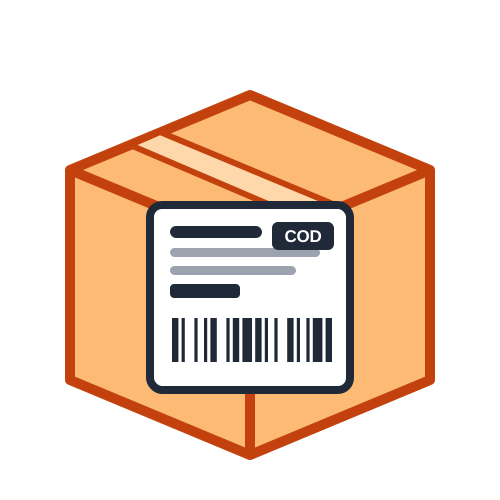
A prepaid label only needs to get the parcel to the right door. A COD label has a second job: it tells the delivery person exactly how much money to collect. If the amount is missing, hard to read or printed in a small corner, the courier may collect the wrong amount or return the parcel as undelivered. That is why a good COD label shows the amount to collect in large, bold text that stands out from everything else on the label.
It also helps to mark prepaid orders clearly, so nobody tries to collect money from a customer who has already paid. With the generator, COD orders show the amount in a black box such as COD ₹1,299, while prepaid orders show PREPAID in an outlined box.
The full delivery address with house number, street, landmark, city and state.
A correct 6-digit pincode, printed large so it can be read at a glance.
A 10-digit number the courier can call before arriving.
The exact amount to collect, including shipping charges if the customer pays them.
The number your courier gives you, printed as a scannable barcode.
Your shop name, address and phone, so an undelivered parcel can come back to you.
Open the generator and fill in your return address once. You can add your logo and tick the option to remember these details, so you never type them again on this computer.
Next, enter the customer's name, address, pincode and phone. Choose Cash on delivery and type the amount to collect. Add the courier name and the tracking number if you already have one. Optional details such as weight, dimensions and contents can be added too, and the label preview updates as you type.
Finally, pick a label size - a 4 × 6 inch thermal label or A4 paper - and download the PDF. Print it at actual size, stick it on the largest flat side of the box and your COD parcel is ready for pickup.
Print at 100% scale so the barcode and the amount keep their size. If you use plain A4 paper, cover the label with clear tape so it does not smudge or tear on the way. Thermal labels are faster for daily shipping, because they are self-adhesive and need no ink. Before printing a large batch, print one test label and scan the barcode with your phone to make sure it reads correctly.
COD orders are returned more often than prepaid ones, usually because the customer is not available or changes their mind. A clear label will not stop every return, but it removes the avoidable ones: wrong addresses, missing phone numbers and unreadable amounts. It also helps to call or message customers before dispatch to confirm the order and the amount, and to keep a record of every COD parcel you send. In bulk mode, the summary page shows the total COD amount for the day, which you can later match with the courier's remittance.
A COD shipping label only needs a few details, but they must be clear and correct. With the free COD label layout in the Shipping Label Generator, you can make neat labels at home for every order and spend less time on paperwork. For marketplace orders, use our Amazon label crop tool instead.
Last Updated: 23-09-2026