- Amazon
- Flipkart
- Meesho
- Amazon Seller FlexNew
- Shipping Label GeneratorShipping LabelNew
- IndiaMart CRM
- Other tools
- Price
- Login

29-09-2026 · PDF Cropper
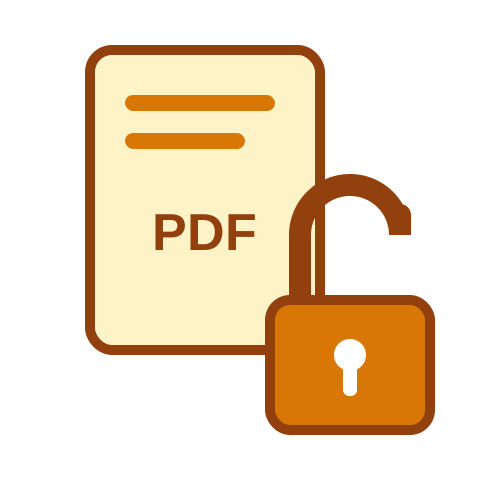
You try to upload a bank statement or payslip and the portal says Invalid file, Encrypted PDF not allowed or simply fails without a reason. The usual cause is the password on the PDF. This guide explains why portals reject password protected PDFs and the easy fix, using the free Unlock PDF tool.
When an application portal receives your file, its software usually checks the document, creates a preview or reads the text automatically. An encrypted PDF can't be read without the password, and the portal has no way to ask you for it. So the system rejects the file, even though it opens perfectly on your phone after you type the password.
The portal can't open the document.
A clear sign the password is the problem.
Some systems wrongly report locked files as damaged.
A silent error with no explanation.
If your file is a statement, payslip or tax form that came by email, the password is almost always the cause.
Upload the file to the Unlock PDF tool, enter the password you use to open it and download the unlocked copy. Upload that copy to the portal. It takes less than a minute and fixes the error in almost every case. Your file is deleted from our server as soon as it is processed, and the password is never stored.
Some PDFs open without a password but carry restrictions that block printing or editing. A few portals also reject these files. Unlock PDF removes such restrictions without needing a password, giving you a clean copy that any system accepts.
After unlocking, some portals still reject files because they are too large, often over 200 KB, 500 KB or 1 MB. If that happens, compress the unlocked file with Compress PDF using the target size option. Unlocking first is important, because compression tools can't work on locked files either.
Loan and credit card applications, visa and passport portals, income tax and GST uploads, job applications and college admissions all commonly reject locked files. Bank statements, salary slips and Form 16 are the documents that cause the most trouble, because they almost always arrive password protected.
Unlocked statements are readable by anyone, so upload them only to official portals you trust. Delete extra copies from your downloads after the application is complete, and never send unlocked statements to unknown agents on chat apps.
Unlock the PDF, check that it opens without a password, compress it if the portal has a size limit, and give it a clear file name. Following these steps avoids most upload errors on the first try and saves you from last-minute stress.
Now you know why online portals reject password protected PDFs and the fix: unlock the file, then compress it if needed. The free Unlock PDF tool solves the upload locked PDF error in seconds, so you can remove password before upload and finish your application without delays.
Before any important deadline, prepare your documents in advance. Download statements, payslips and certificates, unlock the ones that need it, compress them to the sizes the portal asks for and keep them in one folder named for the application. When the form opens, you only need to upload files that are already in the right format. This simple preparation prevents last-minute errors and gives you time to fix any problem calmly. It also means you can check every file once more before submitting, making sure the right months and pages are included. A few minutes of advance preparation often saves hours of stress on the final day.
Last Updated: 23-09-2026