- Amazon
- Flipkart
- Meesho
- Amazon Seller FlexNew
- Shipping Label GeneratorShipping LabelNew
- IndiaMart CRM
- Other tools
- Price
- Login

29-09-2026 · PDF Cropper
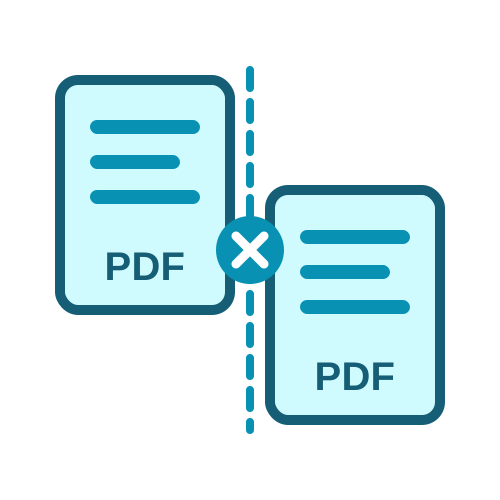
A long PDF is not always convenient. You may need to send one section to a colleague, upload separate documents to a form, or print only part of a report. This free online guide explains how to split a PDF into multiple files in a few clicks with the free Split PDF tool, which works in your browser on a computer or a phone.
Splitting makes sense whenever only part of a document is needed. Common examples are a scanned bundle of certificates that must be uploaded one by one, a combined monthly statement that needs a file per month, a textbook chapter for reading on a phone, or a big file of invoices that should be sent to different customers. Smaller files are also easier to email, because many email services limit the size of attachments.
Type ranges such as 1-3, 4-6, 7- and each range becomes its own PDF.
Split the document into equal parts, for example every 2 pages or every 10 pages.
Pick only the pages you need and save them as a new file.
Each method suits a different job, and you can switch between them without uploading the file again.
Open the tool and upload your PDF. The page thumbnails appear, and the tool suggests splitting the document in half. Replace the suggestion with your own ranges, separated by commas. Write 7- to mean page 7 to the end, which saves you from counting the last page. The thumbnails are coloured by output file, so you can see at a glance where each part starts and ends. Click Split PDF and download to get a ZIP with one PDF for each range.
Choose Every N pages and enter how many pages each file should have. This is ideal for documents with a fixed structure, such as a batch of two-page forms or a file of one-page invoices. Click Every page separately if you want one PDF per page. The list above the button shows every file that will be created, so you know exactly what you will get.
Each new file is named after the original PDF and its pages, for example report_pages_1-3.pdf or report_page_5.pdf. That makes it easy to find the right part after unzipping. When the split creates only one file - for example when you save all ranges in one PDF - it downloads directly as a PDF instead of a ZIP.
No. Splitting copies the pages exactly as they are, so text stays sharp, images keep their resolution and links keep working. Nothing is compressed or converted, which means the original quality is kept in every part. The combined size of the parts is usually close to the size of the original file.
Remove the password first, because locked PDFs cannot be split.
Check the coloured thumbnails before downloading; the tool also warns if a range goes past the last page.
The tool handles PDFs up to 100 MB; for bigger files, split them in two steps.
Decide how you will use the parts before splitting - one file per chapter, per month or per customer. Use open ranges such as 10- so a range always reaches the last page. After downloading, open the ZIP and check one or two files. If you need to change the page order afterwards, use ReArrange PDF, and to join files again use Merge PDF.
Knowing how to split a PDF into multiple files saves time whenever you need only part of a document. Choose a range, equal parts or single pages, check the thumbnails and download your files. The free PDF splitter keeps the original quality and names every part clearly, so you can split PDF online free in under a minute and share only the pages that matter.
Bookmark this free online guide: how to split a PDF into multiple files is a skill you will use again and again, and with page thumbnails and a clear file list, every split can be checked before you download it. Everything is free, with no sign-up needed.
Last Updated: 23-09-2026